For new practices
Get your practice up and running
This guide walks you from creating your account through inviting your team. Adding your first patient and the practice dashboard have their own guides.
Get started
wellpathprime.com → app.wellpathprime.com/onboarding
From the WellPath Prime website, select Get Started in the top navigation. You can also go straight to app.wellpathprime.com/onboarding in your browser.
Choose Create a WellPath Practice — the path for clinicians setting up a new practice and inviting a team. (Join a Practiceis for team members who've already been invited; the solo-patient path is for individuals tracking their own health on the mobile app.)
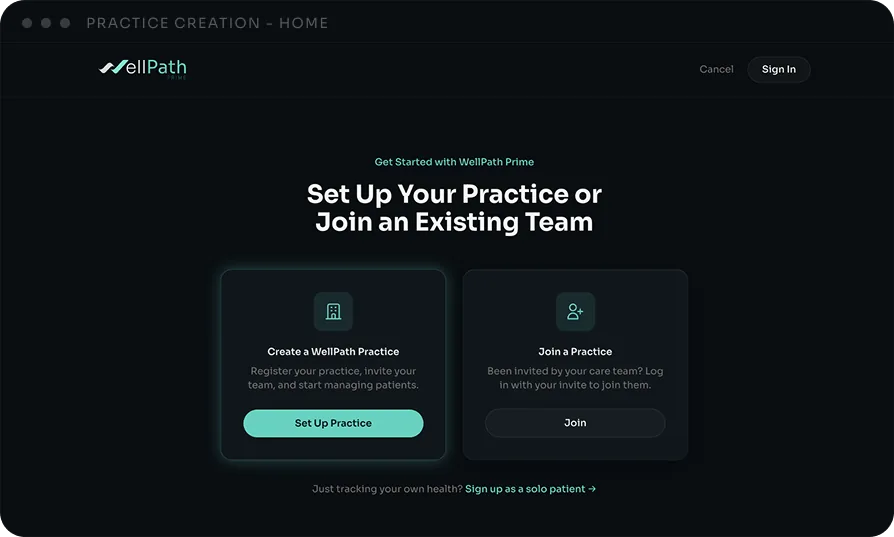
Create your practice
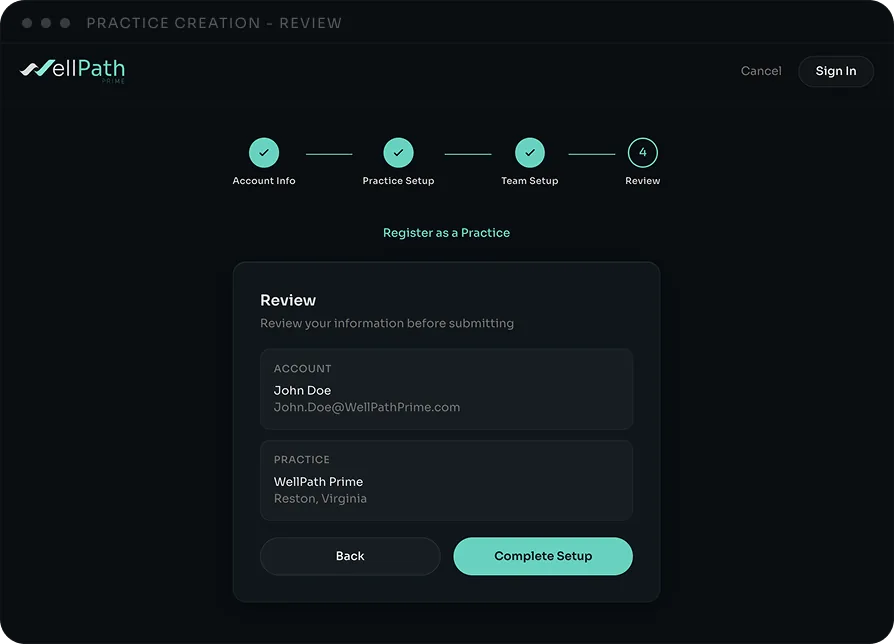
A four-part wizard: Account → Practice → Team → Review
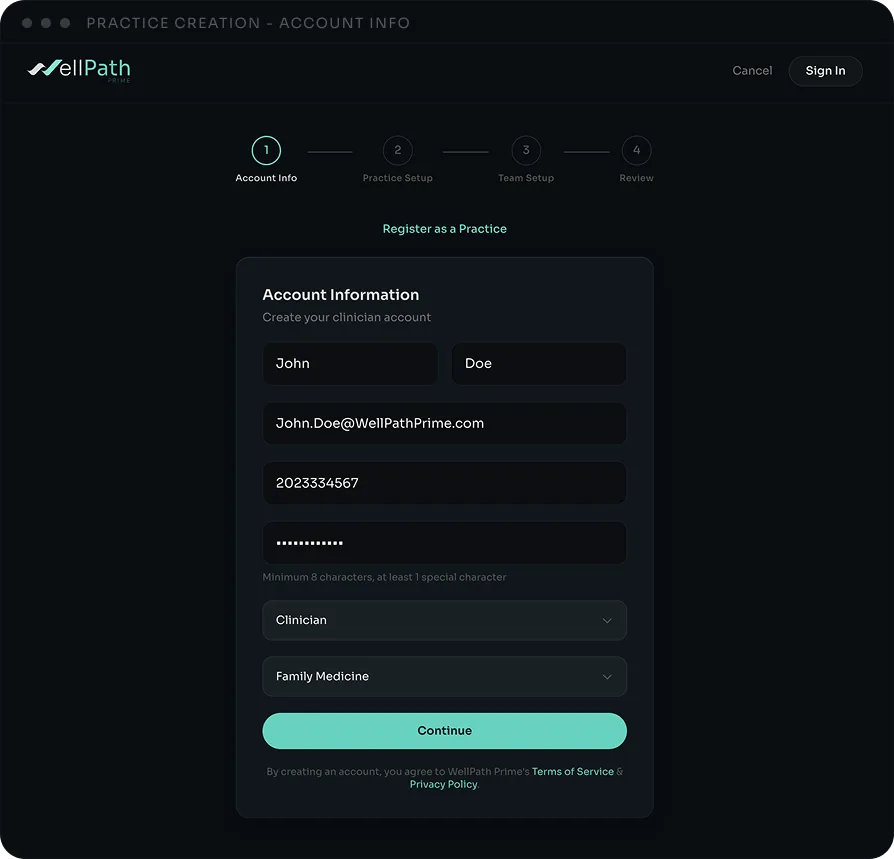
Setup runs as four short sections. The details you enter create your practice and make you its first administrator, so use the email and password you'll sign in with going forward.
Account Information — your name, email, phone, a password, your role, and specialty.
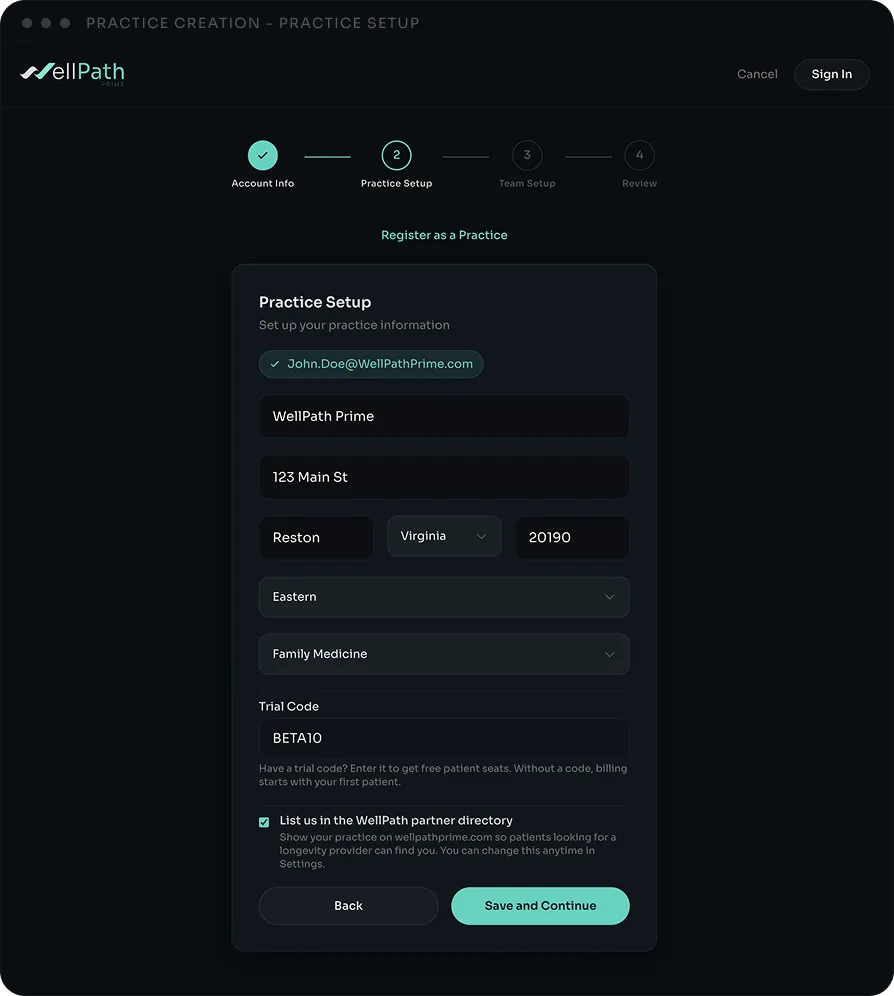
Practice Setup — practice name and address, time zone, and primary specialty. Optionally add a trial code for free patient seats, and toggle "List us in the WellPath partner directory" to appear on the public Find a Partner Practice page.
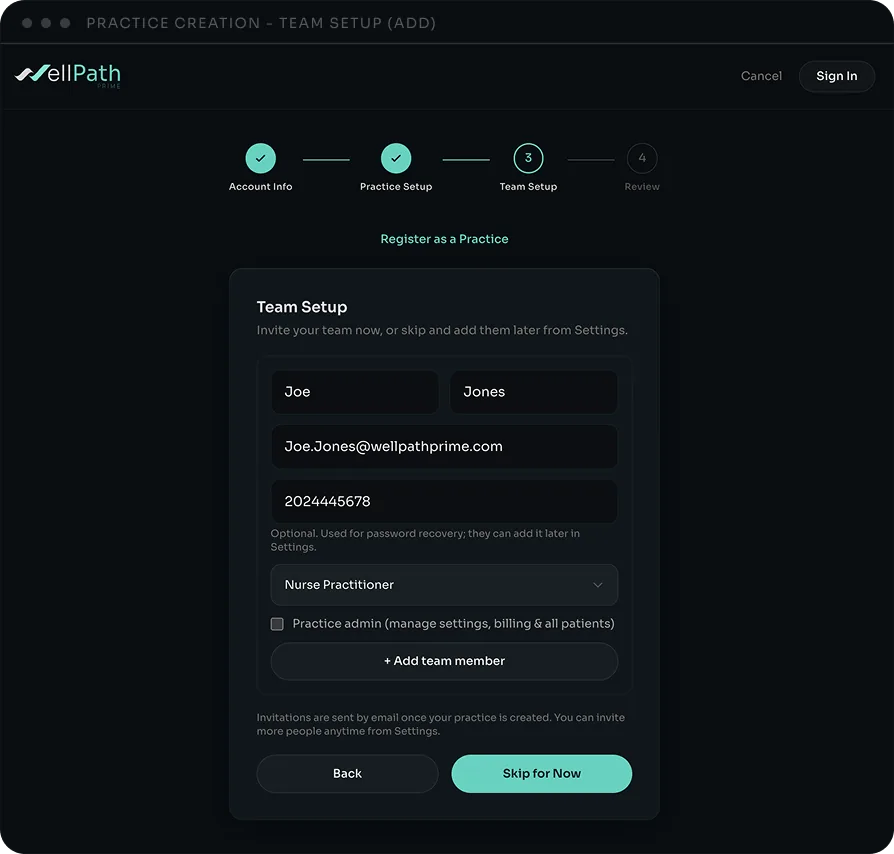
Team Setup — invite team members right here (name, email, role, optional admin), or skip and add them later. More on team access in Step 3.
Review — confirm everything and finish. WellPath creates your practice and takes you into Settings.
Invite your team
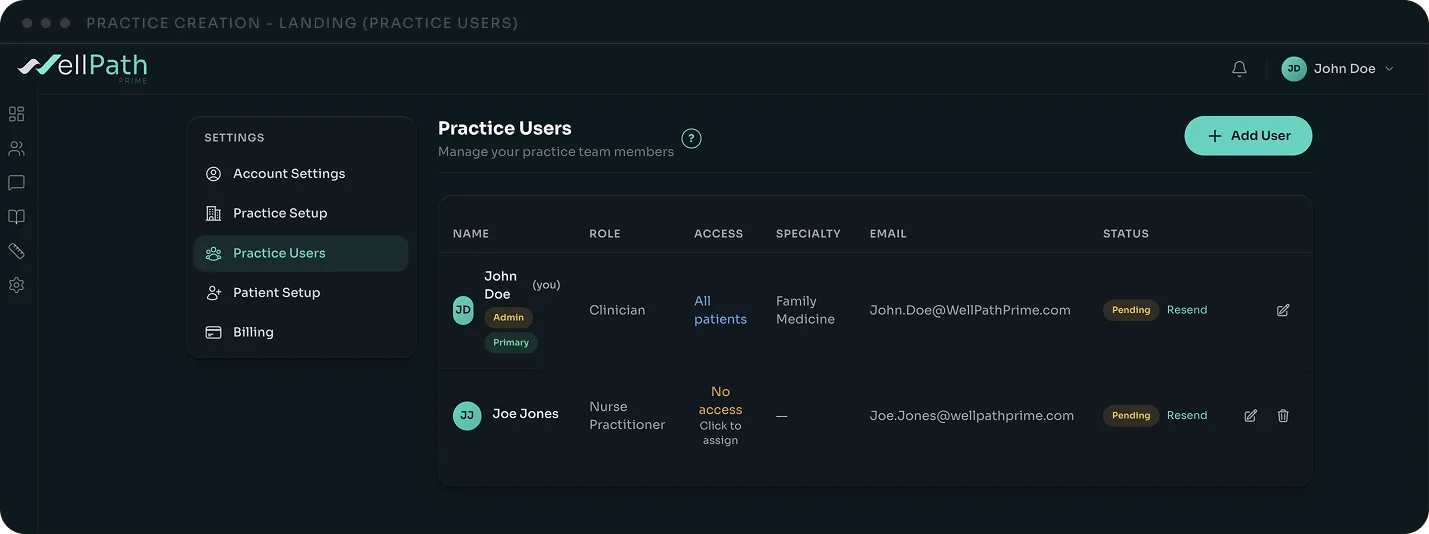
Settings → Practice Users → Add User
Add clinicians and staff anytime from Settings → Practice Users. Enter their name, email, and role, and they'll receive an invite by email.
Access defaults keep patient data appropriately scoped: clinicians see their own patients, non-clinicians start with no patient access, and marking someone a Practice admin gives them full access. You can change any of this per person here.
Next up: Your Practice Dashboard and Add Your First Patient. Stuck? Reach us at keegan.dolan@wellpathprime.com.